
File your company accounts and corporation tax for £10 + VAT
One price, both filings. Sync directly from Xero or QuickBooks, auto-tag iXBRL, and submit straight to Companies House and HMRC. No subscription. No annual licence.
Sign up freeNo card required. Only pay £10 + VAT when you submit.
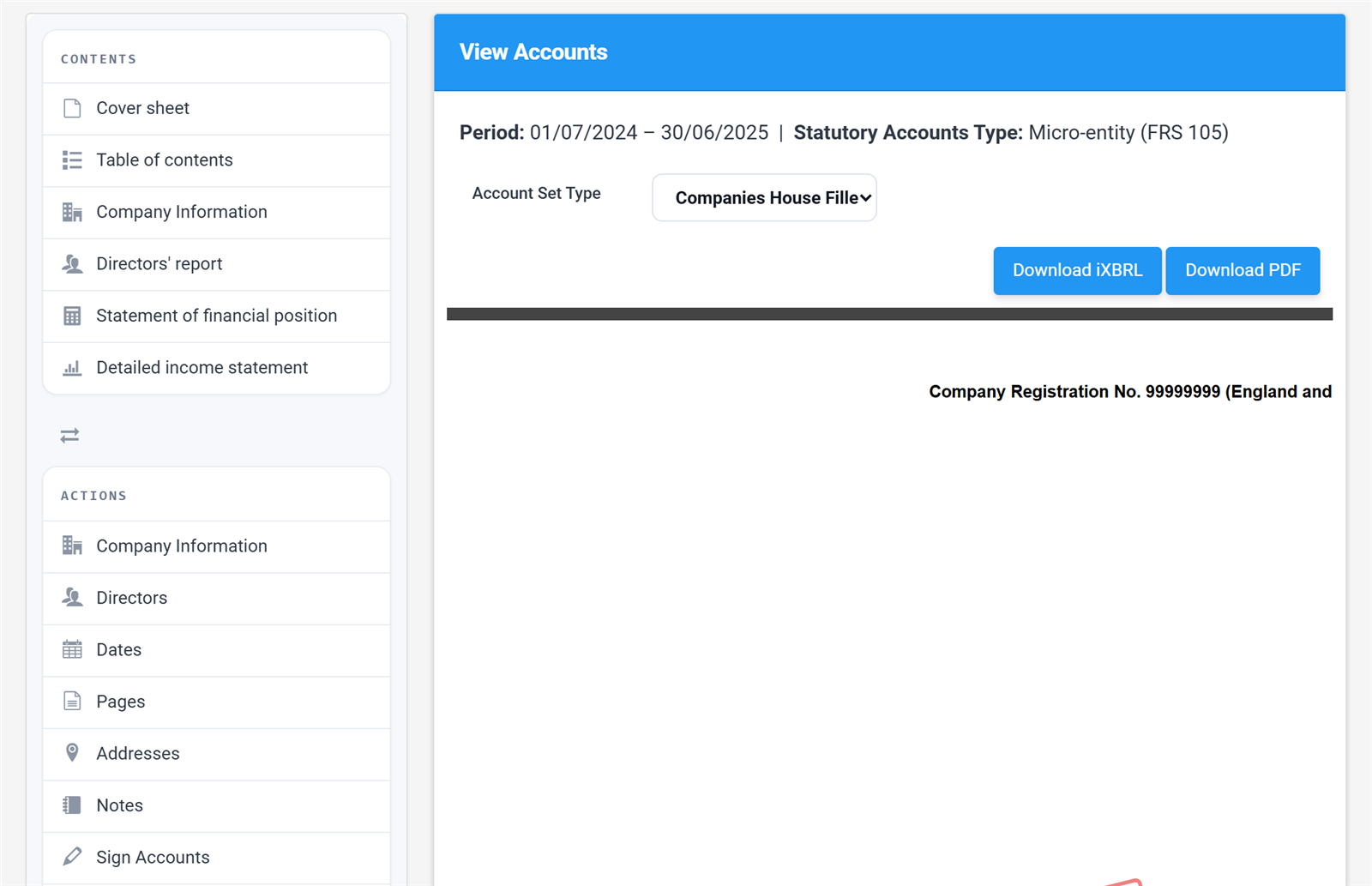
The View Accounts screen.
Built for directors and accountants alike
Whether you're filing for your own company or for clients, Tax Optimiser works the way you do.

Company directors
File your own statutory accounts and corporation tax without needing an accountant. Our guided workflow handles the standards, the tagging, and the submission — £10 + VAT covers both filings for the year.
See how it works →
Accountants and bookkeepers
Buy credits in bulk and bring per-filing cost down to £3. File for as many clients as you like, sync directly from each client's Xero or QuickBooks, and submit to Companies House and HMRC from one place.
See credit pack pricing →Every kind of accounts we file
From a dormant company to a large audited one, the same workflow produces the right set for the entity and the standard, tags it to the current Companies House taxonomy and files it. Pick the type once per period; change it later and the accounts rebuild.

Micro-entity accounts
The simplest set: a balance sheet, an income statement and the handful of notes the micro-entities regime asks for. No accounting policies, no fair values, no deferred tax. For financial years starting on or after 6 April 2025 a micro-entity has turnover up to £1m, a balance sheet up to £500k or up to 10 employees (two of the three); before that, £632k and £316k.
FRS 105 vs FRS 102 Section 1A →
Small company accounts
Accounting policies, a directors’ report and more than thirty possible notes, most of them filled from the trial balance. For small companies up to £15m turnover, £7.5m balance sheet or 50 employees. File the full set or the filleted one, and switch a period between FRS 105 and Section 1A without losing your work.
Changing the accounts type →
Medium and large company accounts
The full standard for companies above the small thresholds, or for a small company that wants fuller disclosure. Adds the statement of changes in equity, the cash flow statement, staff costs, directors’ remuneration, the tax reconciliation and financial instrument categories. Company size is worked out from the trial balance with the two-year rule, and a medium or large company gets the strategic report and the regime statements it needs.
Full FRS 102 guide →
Audited accounts
Mark the period as audited and the accountants’ report gives way to an independent auditor’s report in ISA (UK) 700 form: your opinion type, basis for opinion, emphasis of matter and other matter paragraphs, the senior statutory auditor and the signing date, all tagged. Subsidiaries taking the section 479A exemption get the parent guarantee statements instead.
Audited accounts guide →
Dormant company accounts
A guided wizard for a company that has not traded: the section 480 audit exemption, the never-traded flag where it applies, and the matching nil CT600 for HMRC. Both filings for £5 + VAT.
Dormant company filing →
Companies limited by guarantee and CICs
Members’ funds in place of shareholders’ funds, the members’ guarantee note, no dividends note, and the right legal-form tag in the iXBRL. A community interest company gets its CIC34 report prepared alongside the accounts, ready to file with them.
CIC guide →
LLP accounts Beta
Statutory accounts for a limited liability partnership: members and designated members from the Companies House register, members’ capital and loans and other debts due to members on the balance sheet, the profit available for division among members, and a reconciliation of members’ interests. No CT600; the LLP’s SA800 is covered by the same credit.
LLP accounts guide →
Amended accounts
Replace a set already on the register. The accounts carry the revised-accounts statements Companies House requires, the amended flag goes in the iXBRL, and the filing uses no extra credit.
Amending accounts →
Charity accounts Beta
Accounts under the Charities SORP for charitable companies and CIOs: a Statement of Financial Activities by fund, the funds of the charity on the balance sheet, an analysis of movements in funds, the trustees’ annual report and the independent examiner’s report. SORP 2019 or SORP 2026 is picked from the period start. A small charity that is not a company can prepare receipts and payments accounts instead. A charitable company files at Companies House with the charities taxonomy; a CIO’s accounts are attached to its CT600, and the CT600E fills from them.
Charity accounts guide →
Not yet covered: group (consolidated) accounts, audited charity accounts, FRS 101 and IFRS. Every set above is filed as a full or a filleted copy, and the Companies House and HMRC versions are produced together.
From trial balance to filed accounts in three steps
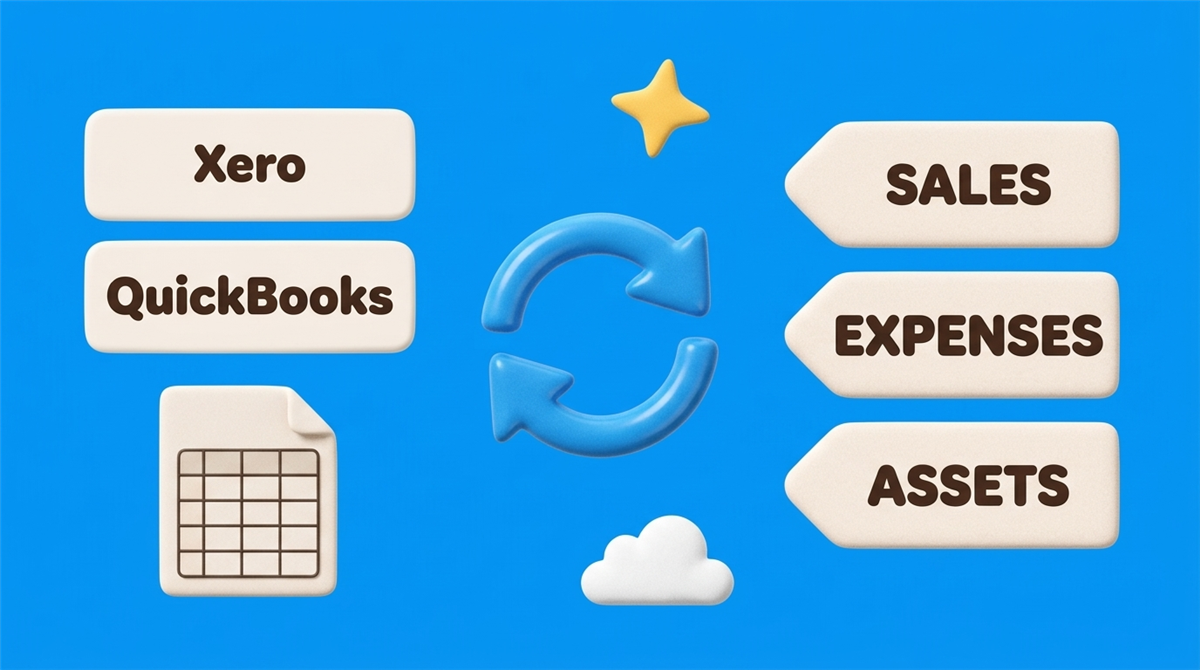
Connect Xero or QuickBooks
Link your accounting software in under two minutes using OAuth. We pull the trial balance and chart of accounts automatically — no CSVs, no manual entry. Prefer a spreadsheet? You can import a trial balance instead.
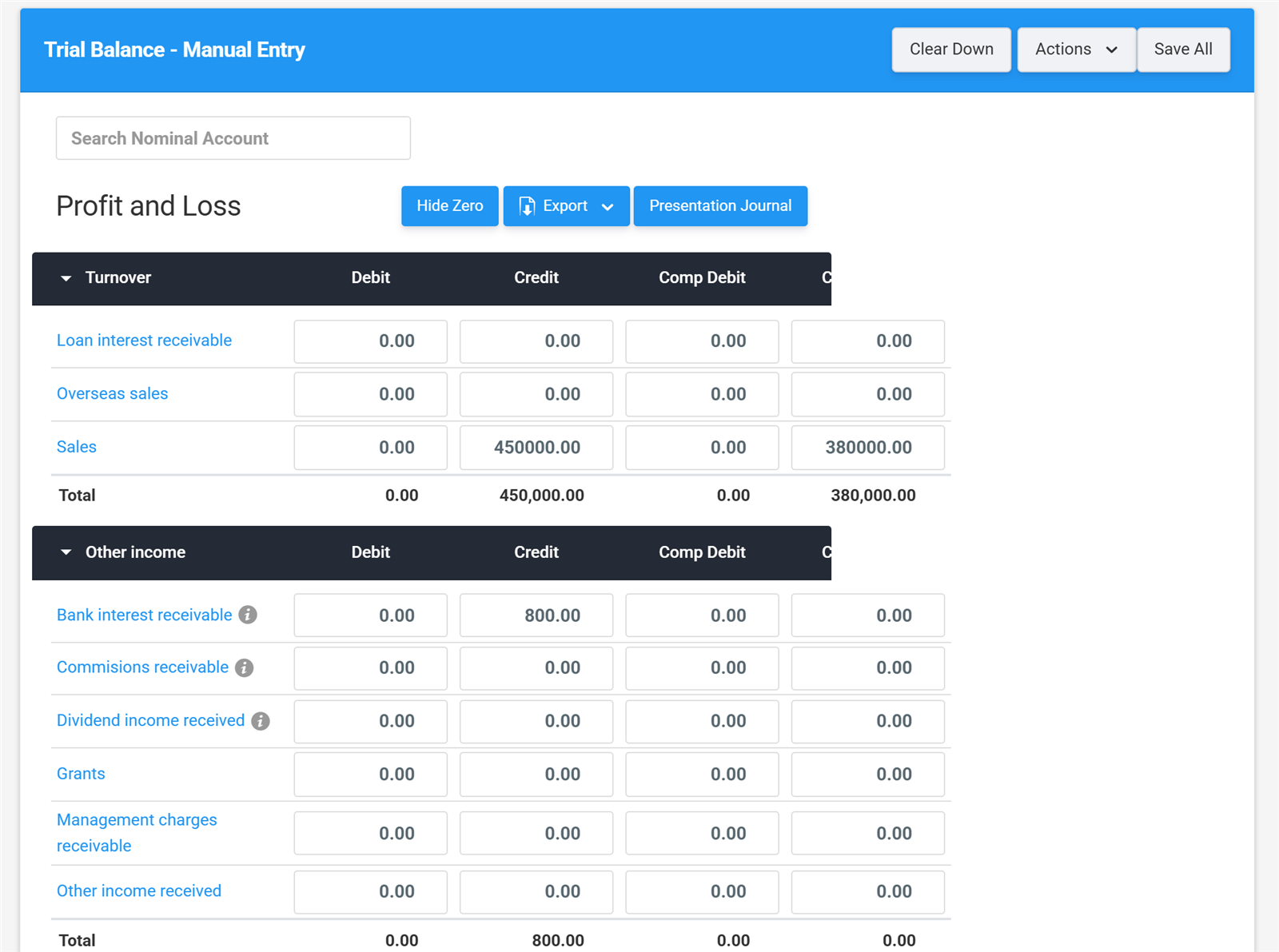
Review and adjust
Map accounts to FRS 105 or FRS 102 categories with our guided workflow. Post adjustment journals that sync back to your accounting system. Built-in validation flags missing disclosures before you submit.
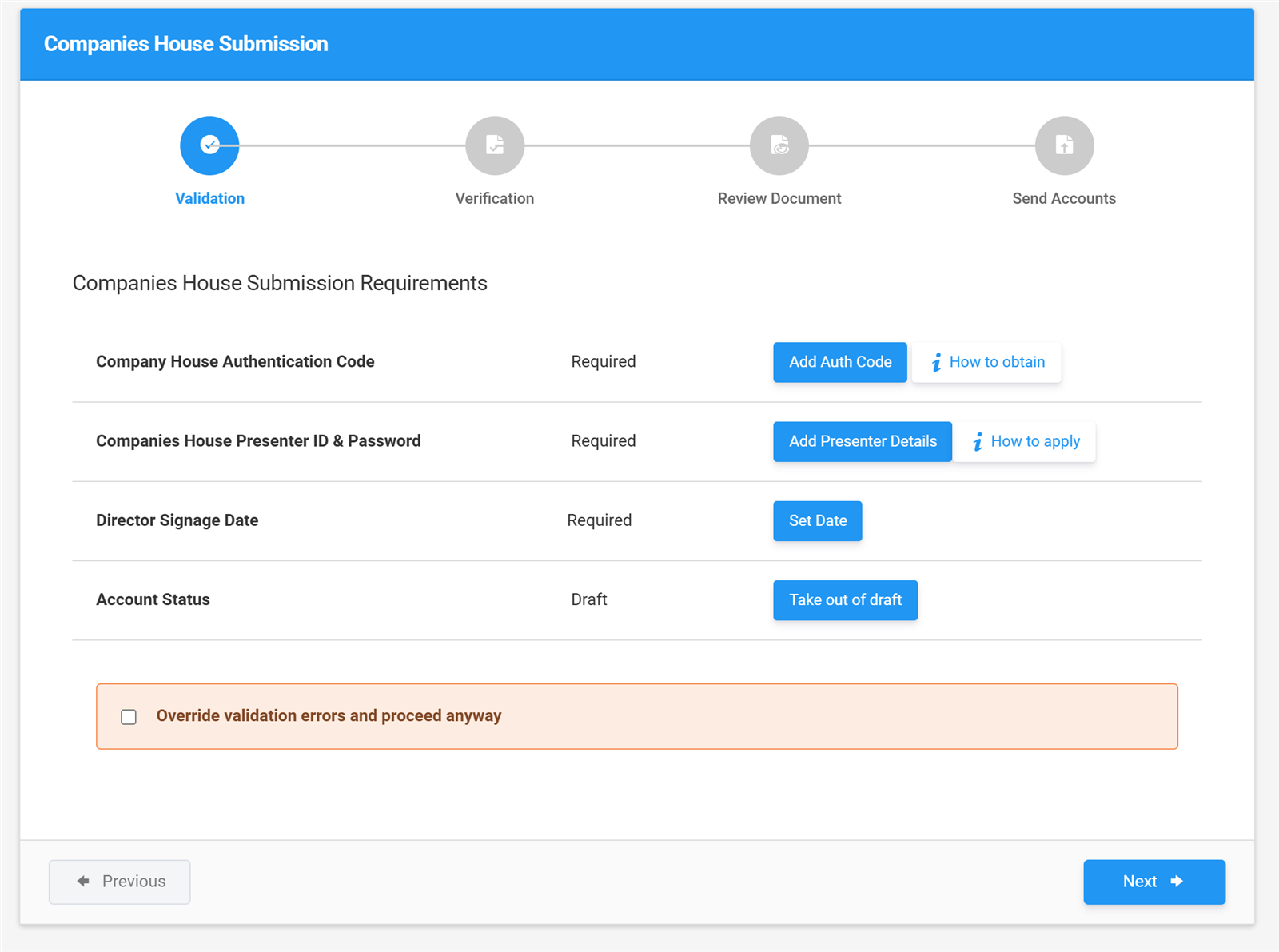
Submit to Companies House and HMRC
We generate iXBRL-tagged accounts to the current Companies House taxonomy and submit them directly from the app. Corporation tax submissions to HMRC work the same way. You get confirmation receipts in minutes.
See exactly what you get
These are real screens from the app — the same ones our step-by-step user guide walks you through. No mock-ups, no surprises after you sign up.
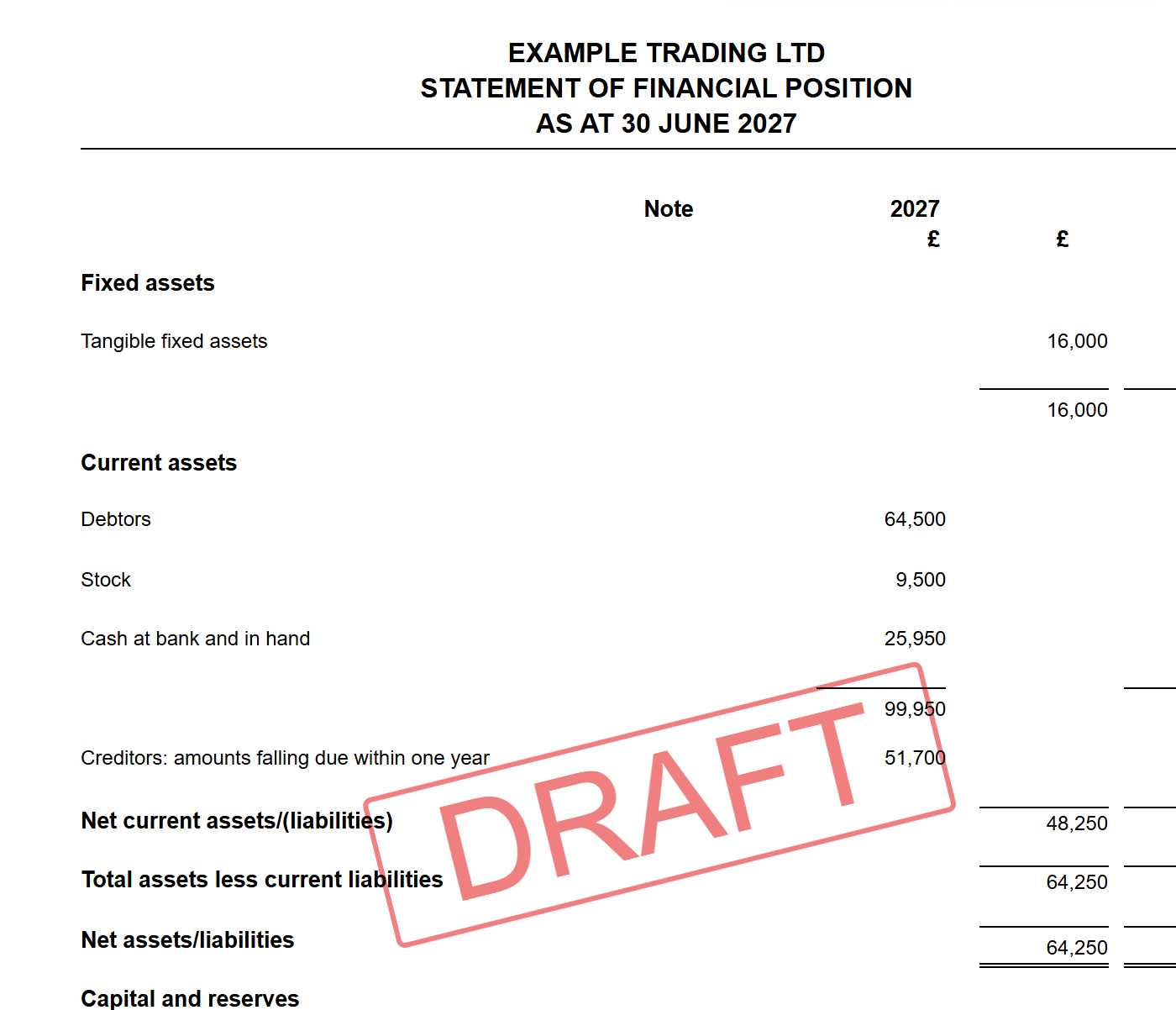
The statement of financial position, built from your trial balance.

Real statutory accounts, built from your numbers
Your balance sheet, directors' report and notes are generated as a proper document you can read page by page — watermarked as draft until you're ready to file. Directors come straight from the Companies House register with one click, and the signature block and approval date land in the right places automatically.

Notes that fill themselves in
Fixed asset movements, debtors, employee numbers — the figures that come from your trial balance are already there, and anything else is a guided form rather than a blank page. Toggle a note on or off and the accounts re-paginate themselves.
Read the notes guide (FRS 105) →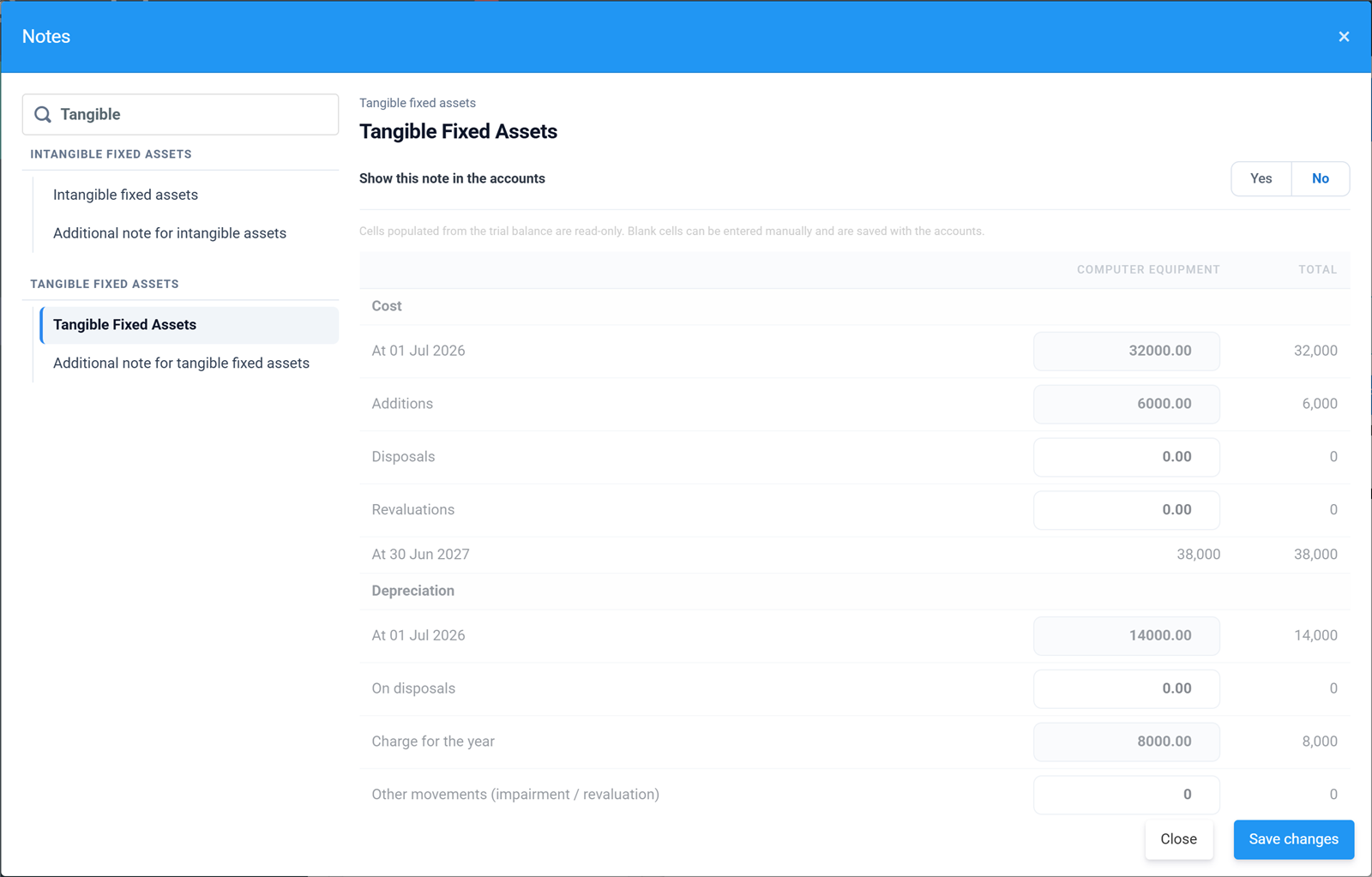
The fixed assets note editor, pre-filled from your numbers.
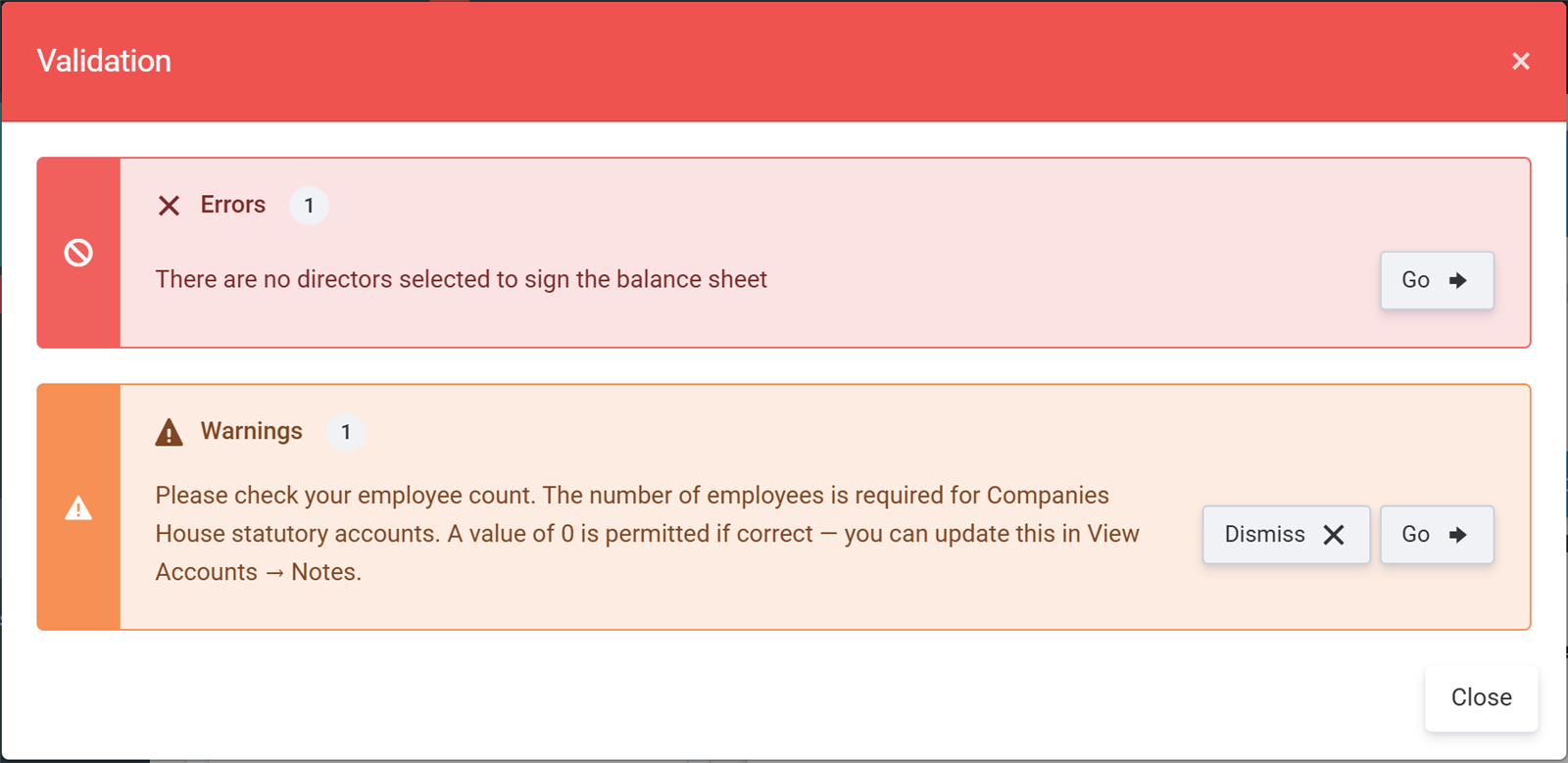
Every issue listed, each with a Go button straight to the fix.

Validation that catches problems before Companies House does
Missing signatory, employee count not set, balance sheet that doesn't balance — validation lists every issue with a Go button that takes you straight to the fix. You file when it's clean, not when you hope it's clean.
Read the validation & signing guide →
Full or filleted — choose at filing time
Keep a full set with the detailed income statement for your own records, and file the filleted version at Companies House so your profit stays private. One dropdown in the submission wizard, same underlying accounts.
Read the full vs filleted guide →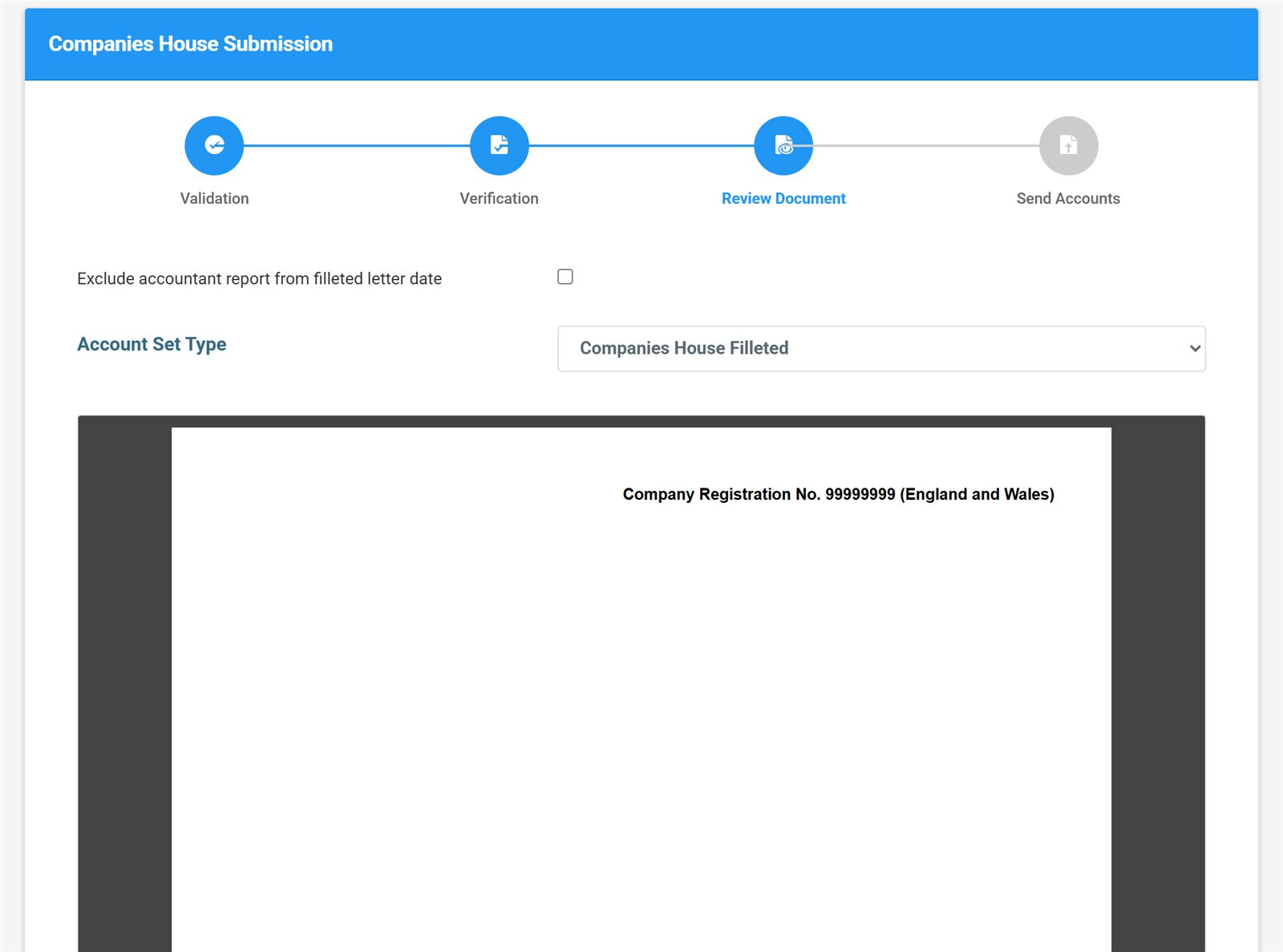
Choosing the filleted set in the submission wizard.
What our customers say
I recently used Tax Optimiser for the first time to submit my accounts to Companies House and HMRC, and I’m thoroughly impressed. The platform is remarkably easy to manage, walking you through the entire process without any complex jargon. On top of that, their prices are extremely competitive. It saved me a ton of time and stress—I will definitely be using them again next year.

I had next to no confidence that Tax Optimiser could handle accounts submission and Corporation Tax. But I gave it a whirl… Both Companies House and HMRC have initially accepted the submissions… I previously filed on professional software and I paid about £1500. This is dirt cheap.

Excellent software. Very affordable if you're doing your own small company accounts. Links with Xero… Tax Optimiser has been a complete life saver for me.

Simple, honest pricing
One filing or a thousand — the more you buy, the less you pay. Working papers are included free with every filing.
Pay-as-you-go
per company, per year — covers both your statutory accounts and corporation tax submission. How pay as you go CT600 filing works
FRS 105 or FRS 102 1A accounts
Corporation tax (CT600) return
Direct Xero & QuickBooks sync
Automatic iXBRL tagging
Direct submission to Companies House and HMRC
Email support
For accountants and bookkeepers
One credit = one company, one year, both filings. All prices + VAT.
| Pack | Credits | Price | £ per credit |
|---|---|---|---|
| Pay-as-you-go | 1 | £10 | £10 |
| Starter | 25 | £200 | £8 |
| Practice | 100 | £600 | £6 |
| Growth | 250 | £1,250 | £5 |
| Scale | 500 | £2,000 | £4 |
| Enterprise Best value | 1,000 | £3,000 | £3 |
All prices exclude VAT. Credits do not expire.
Sign up to buy credits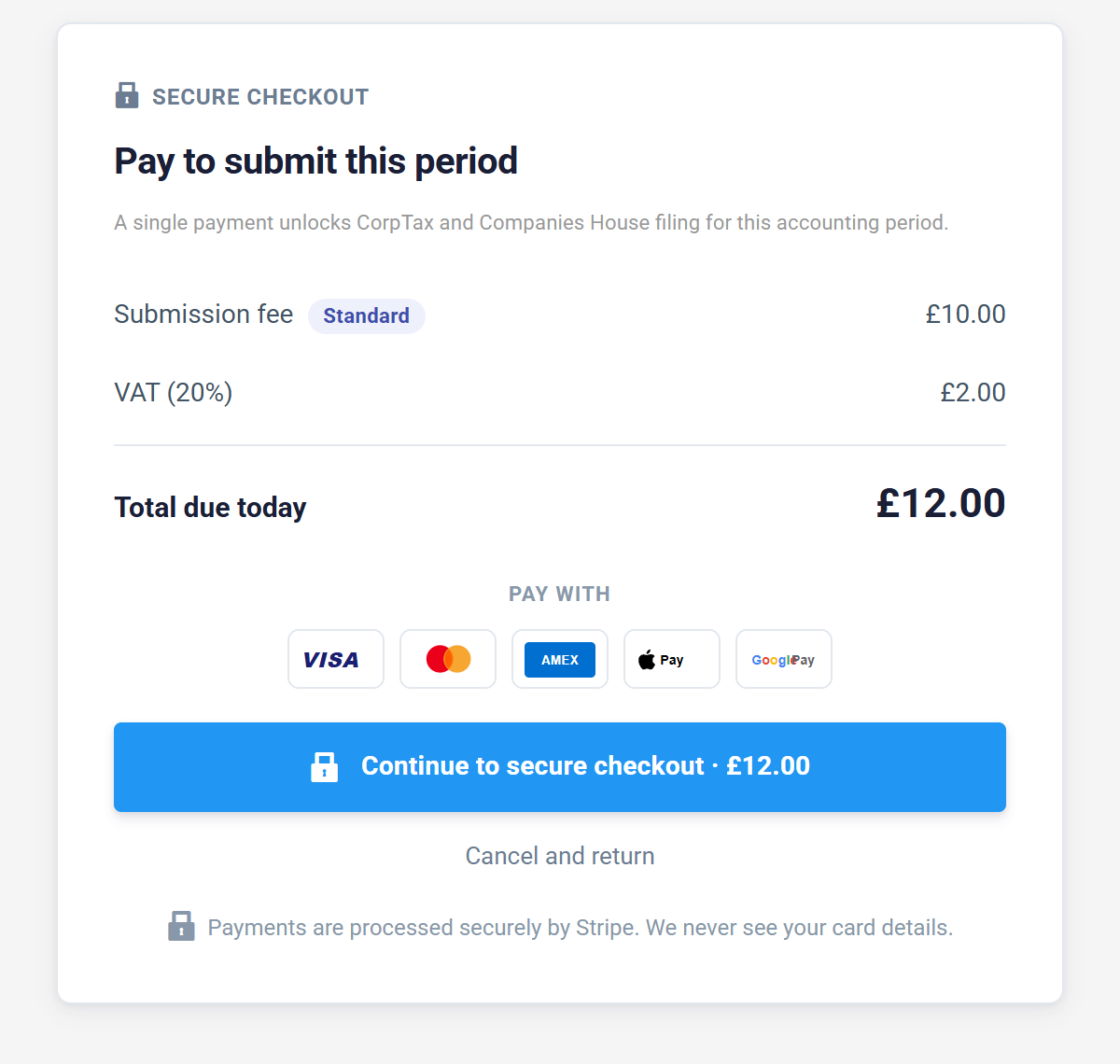
This is the entire checkout. £10 + VAT when you submit — no subscription hiding behind it. Real screen, no mock-ups.

See every screen before you sign up
Our free statutory accounts guide walks through the whole journey — from the View Accounts screen to validation, signing and filing — using the same screenshots you've seen on this page. Read it online or download the PDF edition.

Frequently asked questions
Further reading


More from Tax Optimiser


File for £10 + VAT. No subscription. No surprises.
Sign up free. Connect your accounting software. Only pay when you submit.
Sign up free